The following steps do not work in an app browser, e.g. within the Facebook or Instagram app - if you have opened our website or app in it, please carry out the following steps in the Safari browser.
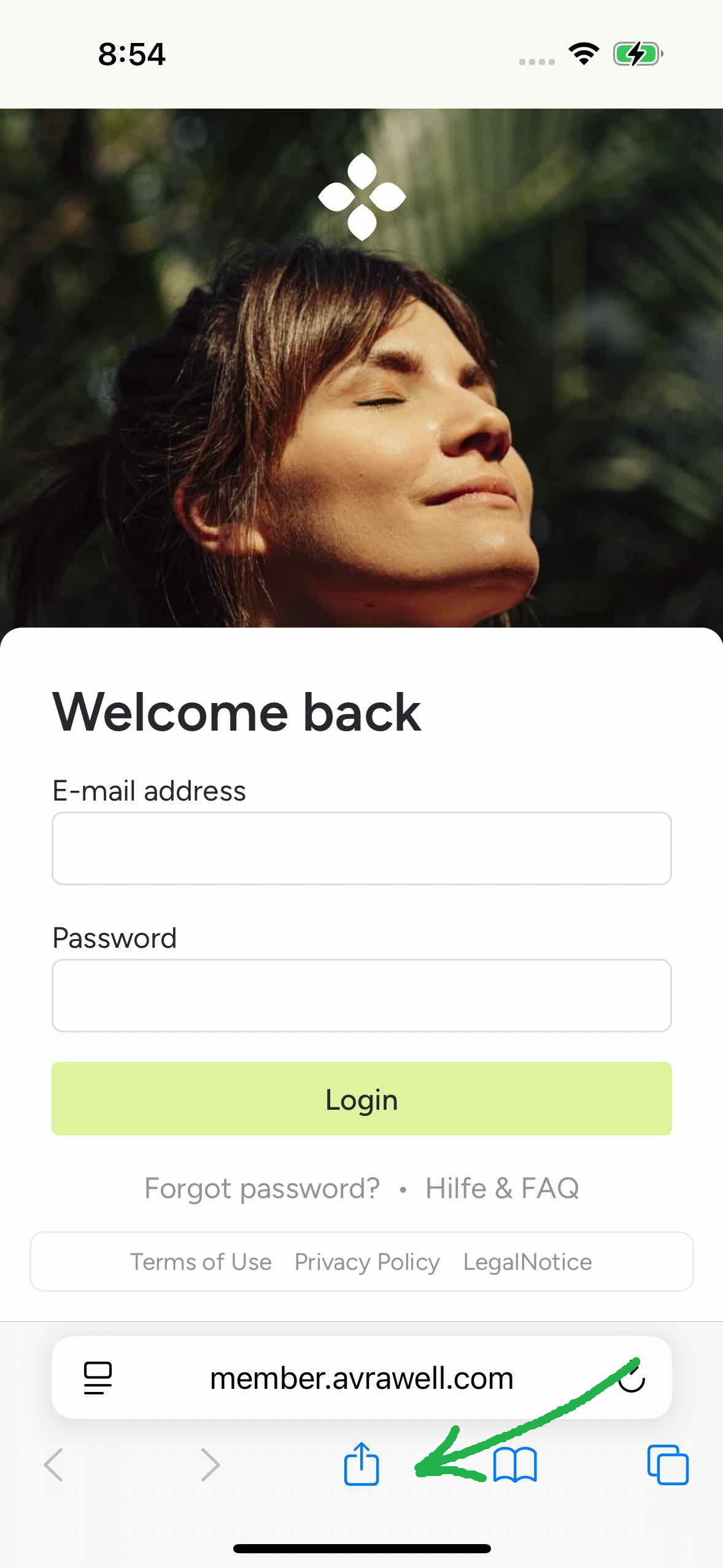
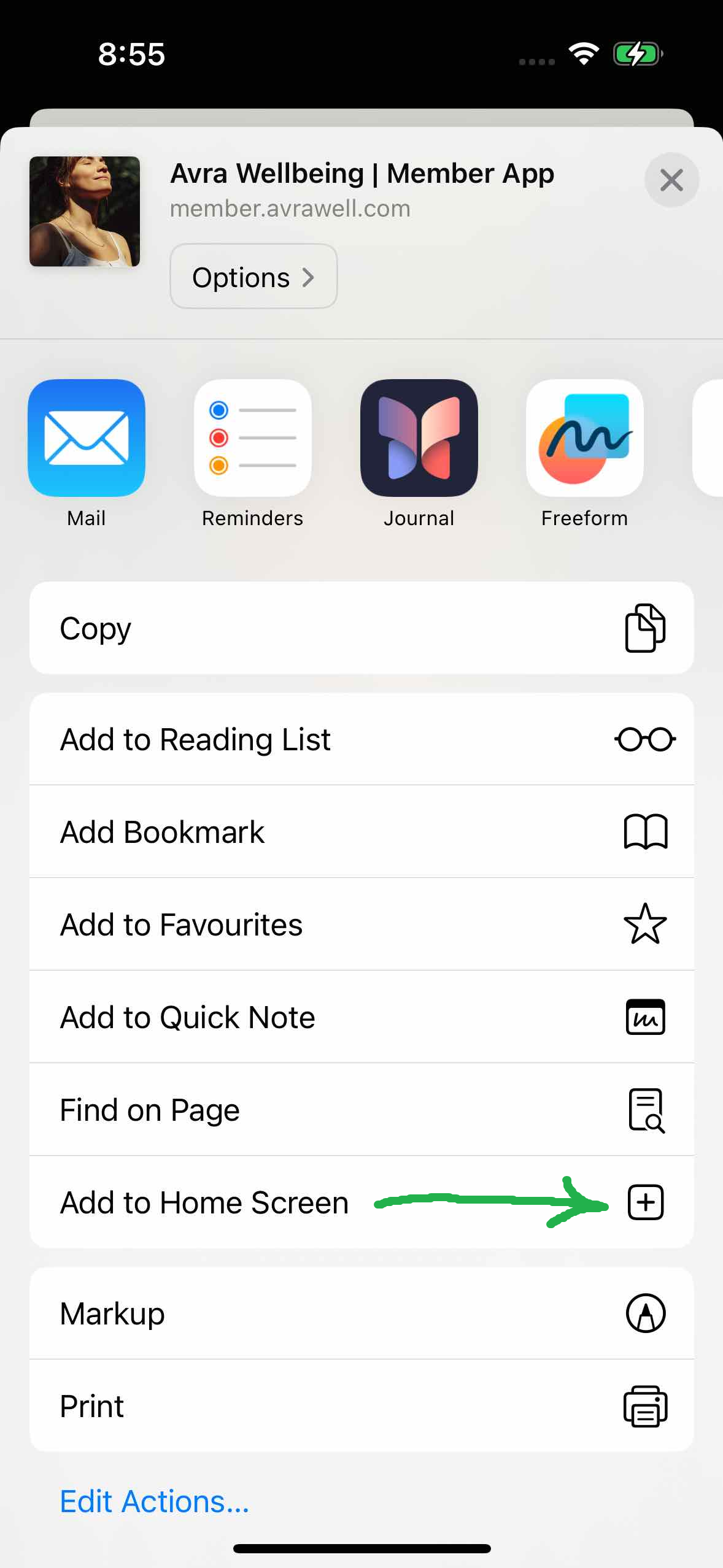
Our Avra Wellbeing app can be installed on all current iOS devices. First open https://member.avrawell.com with Safari, click on the “Share” icon at the bottom center, then on “Add to Home Screen”, relatively far down in the list.
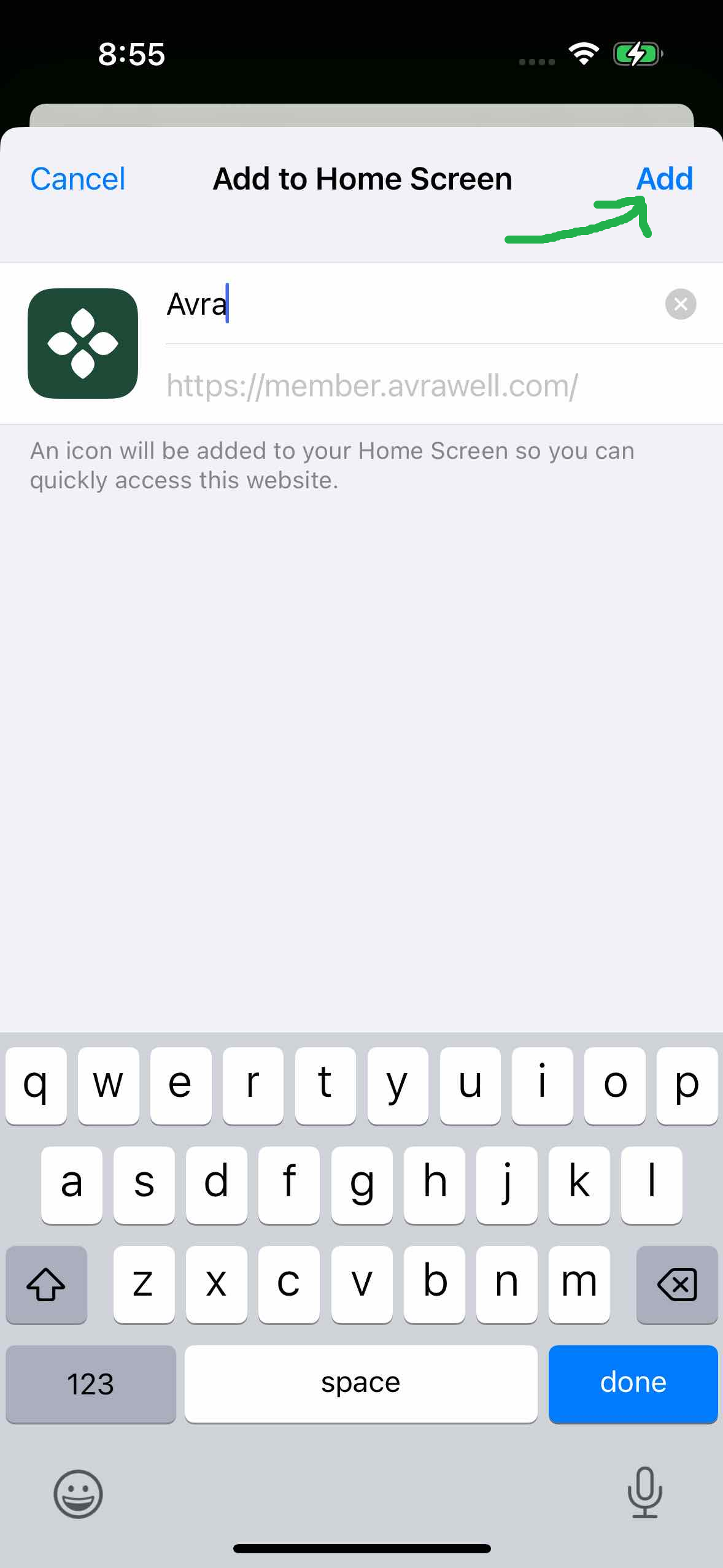
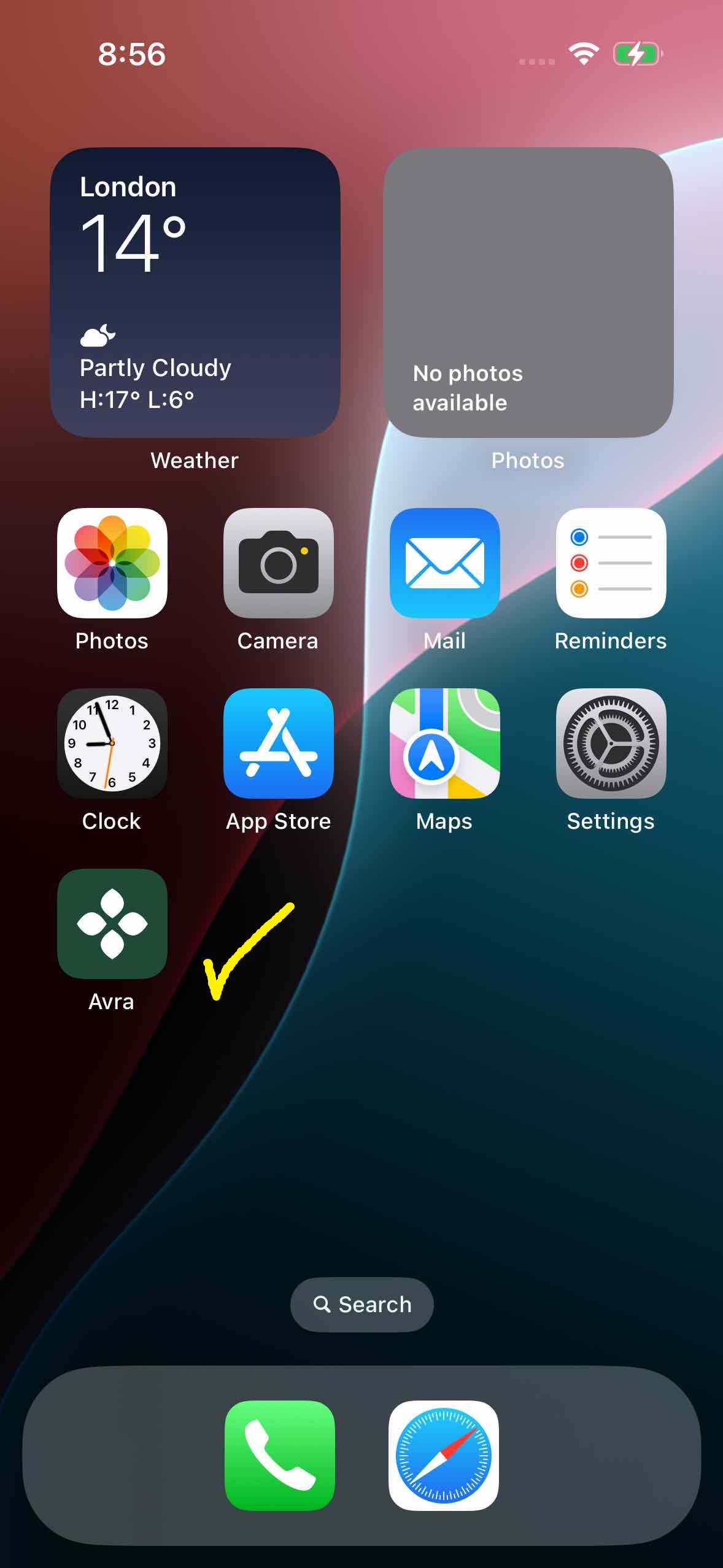
After a brief confirmation, the app can be used from your home screen like a normal app store app.